
Tricon Homes
Tricon ResidentialHouse & Home
4.6264.00 Reviews
- Version
- 2.3.15.1786053077
- Installs
- 10.00K
- Age Rating
- Everyone
Screenshots
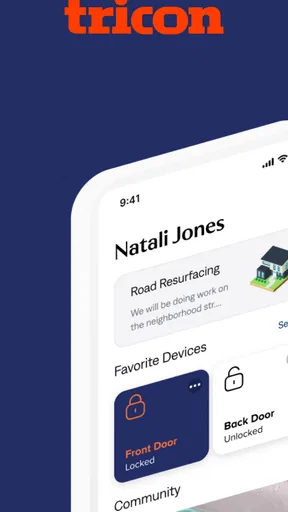
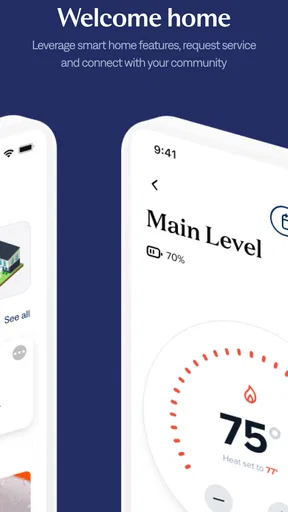
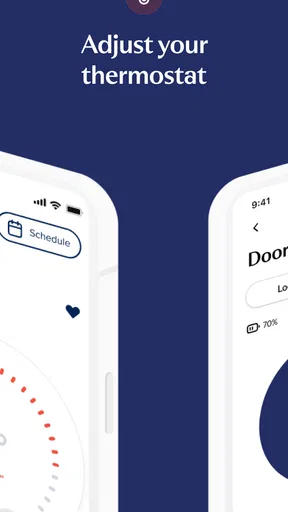
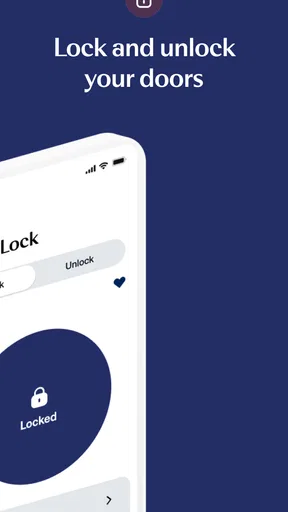
Our Review of Tricon Homes
 Analysis by Appyee
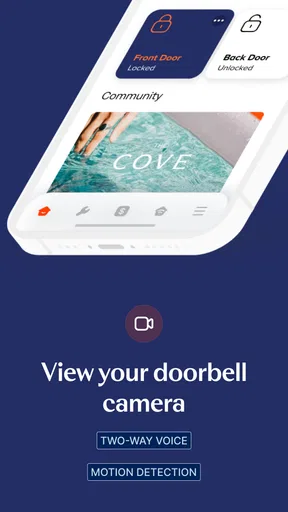
Moving into a Tricon Residential home brings a practical question: do you want one place to handle connected-home controls and maintenance requests, or would you rather keep those tasks in separate tools? After spending time with Tricon Homes, I see it as a focused companion for residents, not a general smart-home platform. Its value depends less on having a long feature list and more on whether your daily life already revolves around a Tricon property.
This free House & Home app is made by Tricon Residential and is available to everyone from an age-rating perspective. It has reached over 10 thousand installs, with a 4.6 average from around 2.7 thousand ratings and 264 written reviews. Those figures suggest a generally positive experience among its audience, although the audience is naturally narrower than that of an app designed for every homeowner or renter.
What I considered before recommending it
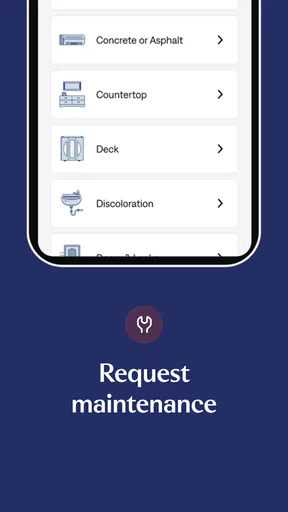
My first decision criterion was usefulness in a real rental routine. An app can look convenient, but it only earns a permanent place on my phone if it reduces small points of friction. Here, the central promise is straightforward: control smart-home devices and manage work orders in the same place. That combination matters because household technology and property maintenance usually feel like two unrelated chores.
The second criterion was context. This is not an app I would choose simply because I wanted to experiment with smart-home controls. Its connection to Tricon Residential is the important factor. If you live in a Tricon home, the app has a clear reason to exist. If you do not, its relevance drops sharply, even if you already use connected devices from other brands.
I also looked at how it fits different levels of technical confidence. A useful resident app should not make a person learn an entire smart-home ecosystem just to complete a basic task. At the same time, people who enjoy building elaborate routines, mixing brands, or managing every device from a broad automation hub may find a property-specific app more limited than their preferred setup.
There is a useful distinction between convenience and control here. A single resident-facing app can make common actions easier to find, but it may not replace every specialist tool associated with a particular device. I would therefore judge it by how well it supports ordinary living in a Tricon property, rather than expecting it to become the command center for every piece of technology in the home.
The everyday scenario where it makes the most sense
Imagine noticing that a connected home device is not responding while you are getting ready for work. Instead of trying to remember whether the problem belongs in a device manufacturer's app, a resident portal, or a phone call, you can begin in Tricon Homes. If the issue needs attention from the property team, the work-order side gives you a more natural next step than searching through old messages or trying to identify the correct contact.
The same logic works for a less urgent problem. Suppose a fixture is behaving strangely in the evening and you do not want to interrupt your routine with a lengthy support exchange. Recording the request through the resident app creates a dedicated path for it. I like this workflow because it separates “something in my home needs attention” from the general clutter of email, texts, and unrelated service accounts.
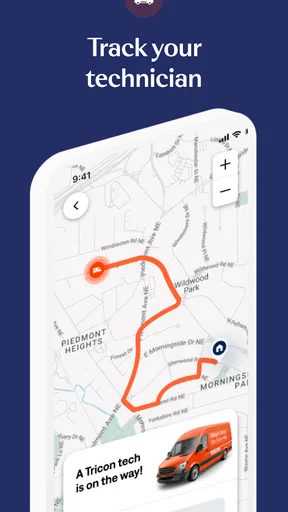
That does not mean every issue will be solved instantly. The app can organize a request, but it cannot remove the need for a technician, an appointment, or access to the home. The practical benefit is reducing uncertainty about where to begin and keeping the task tied to the property rather than scattered across personal notes.
Where the combined approach wins
The strongest part of the experience is the pairing of smart-home controls and maintenance management. Many rental residents have both kinds of needs, yet they normally approach them through separate channels. Bringing them together makes the app feel like a resident tool rather than a thin remote control for one device.
This is especially helpful for people who do not want to become the unofficial administrator of their home technology. A property-linked app can be easier to understand than a broad platform filled with device categories, automation rules, and integrations that may not apply to a rental. I would recommend it to residents who value a clear starting point over endless customization.
Another advantage is mental organization. When I think about a rental home, I do not naturally divide it into “smart devices” and “property service.” I think of the home as one place. An app that reflects that reality can make small tasks feel less fragmented. That is a modest improvement, but it is the kind that becomes noticeable when repeated over months.
The app also has a useful handoff advantage. If a problem begins as a device-control issue but appears to require property support, a resident can move from checking the home technology to considering a work order without changing the entire context. That is a more sensible workflow than treating each symptom as an isolated technical problem.
Three practical habits that improve the experience
First, I would use the app as the starting point for diagnosing a problem, not only as a place to report failure. Before submitting a request, check whether the issue is limited to one smart-home device or affects something broader in the property. That simple distinction can make the eventual work-order description more useful and may prevent a vague request that needs clarification later.
Second, I would describe maintenance issues in terms of what happened, when it happened, and whether the problem is constant or intermittent. A short, specific report is more valuable than a frustrated sentence such as “this is broken.” If the issue involves a connected device, mentioning whether the device responds at all or behaves inconsistently gives the support process a better starting point.
Third, I would avoid treating the app as a replacement for every other relevant app on the phone. If a device has its own specialized controls, those may still be useful for detailed settings. Tricon Homes is most compelling as the resident layer: the place where home controls and property-related action meet. Keeping that role in mind prevents disappointment caused by expecting it to behave like a universal automation platform.
What the current release tells me
The current version is 2.3.15.1786053077, and the app was released on October 13, 2022. I would not use the version number alone as proof of quality, but it does tell me that this is an established resident application rather than a brand-new experiment. The more important question is whether the current build works smoothly with the home and account context attached to a particular Tricon residence.
Because the app is tied to a housing provider, the quality of the experience may feel different from one resident to another. A person with an uncomplicated setup may find it direct and reassuring, while someone dealing with a device issue, an account problem, or a maintenance request that needs extra explanation may notice more friction. That is not unusual for property-linked software, but it is worth keeping expectations realistic.
I also see the rating as encouraging rather than conclusive. A 4.6 average is a strong signal that many users find the app worthwhile, but ratings cannot tell me whether every feature works equally well for every home. The app’s usefulness is connected to the resident experience around it, so I would pay attention to how well the digital workflow matches the actual support process.
Where a different category may fit better
If you are not a Tricon Residential resident, I would skip this app and look for a general smart-home platform or the official app for your device brand. A property-specific tool is not a sensible choice when the property relationship that gives it purpose is missing. Installing it just to browse its controls would add another app without solving a real problem.
Even for a Tricon resident, a broader smart-home hub may be better if your priority is advanced automation across many brands. People who want detailed scenes, complex schedules, extensive integrations, or a single interface for devices in several homes should compare this resident app with the platform they already trust. Tricon Homes is built around the home and resident relationship, not around giving power users an unlimited laboratory.
A separate maintenance channel may also remain preferable for residents who need extensive documentation, detailed conversation, or a long history of service communication. The app is attractive when it makes a request easier to start and track in the resident context. If your situation requires a large amount of back-and-forth, another channel could sometimes feel more flexible, depending on the issue.
There is also a trade-off for households with multiple people. A shared resident workflow is convenient when everyone understands which account or device access to use. It can be less straightforward when family members have different responsibilities, when one person handles maintenance and another manages smart-home settings, or when guests need temporary access. I would clarify household roles before assuming that one app automatically solves shared control.
The real cost of switching
Since the app is free, the main cost of trying it is not money. It is time, attention, and the effort of changing habits. You may need to move from a familiar combination of phone calls, email, manufacturer apps, and personal reminders into a resident-centered routine. That transition is worthwhile only if the new arrangement makes common tasks easier.
I would start with one low-risk task rather than reorganizing everything at once. Use the app for a routine smart-home check or a non-urgent work-order request, then judge whether the result is clearer than your old method. This gives you a realistic sense of the workflow without abandoning a backup method before you know how well the app fits your household.
Switching also has a memory cost. If you have always contacted property support directly, you may continue doing so automatically when something goes wrong. The benefit of Tricon Homes appears after the app becomes the first place you think of. I would keep important contact details available during the transition, especially for urgent property concerns, while using the app to build a more organized everyday habit.
Another consideration is device change. When replacing a phone or adjusting household access, make sure you can still reach the resident functions you depend on. I would not assume that moving to a new device, changing a household member, or altering smart-home access will feel identical to the original setup. Treat those moments as occasions to check the arrangement rather than waiting until a problem occurs.
Who should use it and who should pass
I think Tricon Homes is a good fit for current Tricon Residential residents who want a single, property-focused place for connected-home tasks and work orders. It is particularly suitable for people who dislike hunting through separate apps and support channels, and for renters who want a clearer boundary between what they can handle themselves and what should go to the property team.
It may also suit residents who are not especially technical. The app’s appeal is not that it turns someone into a smart-home expert; it is that it gives ordinary household tasks a recognizable home. If you prefer a short path to a practical action, that focus is more valuable than a long list of advanced controls.
I would be cautious if you are choosing it primarily for deep automation, broad device compatibility, or detailed control over a personal smart-home ecosystem. In those cases, a dedicated platform may be a better center of gravity, with Tricon Homes kept for resident and maintenance needs. I would also pass if you do not live in a Tricon property, because the app’s strongest advantages are tied to that relationship.
My recommendation
After weighing the alternatives, I recommend Tricon Homes to Tricon Residential residents who want less fragmentation in their daily home management. Its best idea is not any single button or screen; it is the decision to place smart-home interaction and work-order management beside each other. That matches the way residents actually think about their homes.
I would install it with a practical expectation: use it as the first stop for property-related tasks, while keeping specialist device apps or other support methods when they genuinely do a better job. That balanced approach gives the app room to be useful without asking it to replace tools outside its purpose.
For me, the deciding factor is convenience with context. A general smart-home app may offer more freedom, and a traditional maintenance route may sometimes offer more direct conversation, but neither necessarily combines the two parts of the Tricon resident experience. If that combination reflects what you need, the free price makes trying it an easy decision.
In short, Tricon Homes is most successful as a focused resident companion: practical for everyday control, helpful for organizing work orders, and less suitable as a universal smart-home command center. I would choose it for the relationship it represents with Tricon Residential, not for a promise of unlimited customization. Used that way, it has a clear role and a sensible reason to stay on your phone.
Verdict
Strengths of Tricon Homes
- Simple way to browse available Tricon Homes properties.
- Property details can help compare homes before making contact.
- Useful for users specifically interested in Tricon residential communities.
- Mobile access makes home research convenient while away from a computer.
- May streamline the first steps of finding a suitable new home.
Limitations of Tricon Homes
- Coverage may be limited to Tricon Homes properties and locations.
- Listings may not always reflect the latest availability or pricing.
- The app may offer fewer search tools than major real-estate platforms.
- Users may still need to contact sales staff for complete property details.
- Not useful for people looking to rent or buy homes from other builders.
Similar Picks in This Category
View All
Universal TV Remote Control
CodeMatics Media Solutions3.9

AlfredCamera Home Security app
Alfred Systems Inc.4.7

Planner 5D: AI Home Design
Planner 5D4.5

Universal Tv Remote-Cast to TV
One Music Player4.1

Zillow: Homes for Sale & Rent
Zillow Group4.8

99acres Buy/Rent/Sell Property
infoedge.com4.3
Frequently Asked Questions
What is Tricon Homes, and what can I use it for?
Tricon Homes is a housing and rental platform designed to help users explore available Tricon residential properties, review home details, and find information about leasing or applying. Depending on the location and current listings, you may be able to browse homes, check amenities, view photos, and learn about community features. Availability, pricing, and application options can vary by property.
Can I use Tricon Homes to search for a specific rental home?
Yes, Tricon Homes can be useful for discovering available rental homes in participating communities. Users can generally browse listings and review details such as location, floor plans, property features, pet policies, and community amenities. Search results may depend on your selected area and the homes currently available, so it is worth checking the app or website regularly for updated listings.
Does Tricon Homes allow me to submit a rental application?
The platform may guide eligible users through the rental application process, although the exact steps can differ depending on the property and market. Before applying, you should review the advertised rent, deposits, qualification requirements, income criteria, screening policies, and any additional fees. An application may require personal and financial information, so submit details only through official Tricon channels.
Is Tricon Homes free to download and use?
Access to the Tricon Homes app or online housing information is generally free for users, but using the platform does not mean that renting a home has no costs. Prospective residents may be responsible for application fees, deposits, rent, utility charges, pet-related fees, maintenance-related terms, or other community expenses. Always read the property’s current pricing and lease conditions before proceeding.
What should I check before choosing a home through Tricon Homes?
Before selecting a property, carefully verify its location, monthly rent, lease duration, deposit requirements, availability date, included utilities, pet rules, parking arrangements, maintenance procedures, and community amenities. You should also confirm the application qualifications and inspect the home when possible. Listing information can change, so contact Tricon or the relevant property team to clarify any important details before signing a lease.
